【乐享】优雅地管理Git凭证
Last updated on March 26, 2026 pm
前言
因为前几天APIFox供应量投毒,造成大规模的凭证泄露,然后我也中招了。由于我管理Github凭证的习惯非常不好,所以一个token用得到处都是,还是都是明文存.git-credentials的,故想优雅地解决一下这个问题。然后询问了一下哈基米,发现GCM(Git Credential Manager)非常地优雅,于是便尝试。
安装
没啥好说的,macOS运行brew install --cask git-credential-manager用homebrew装,Linux去release页面下对应的包然后装,Windows运行winget install gcm用winget装。
使用
建议操作前先rm ~/.git-credentials与git config --global --unset credential.credentialStore来清空乱七八糟的凭证管理方式
macOS
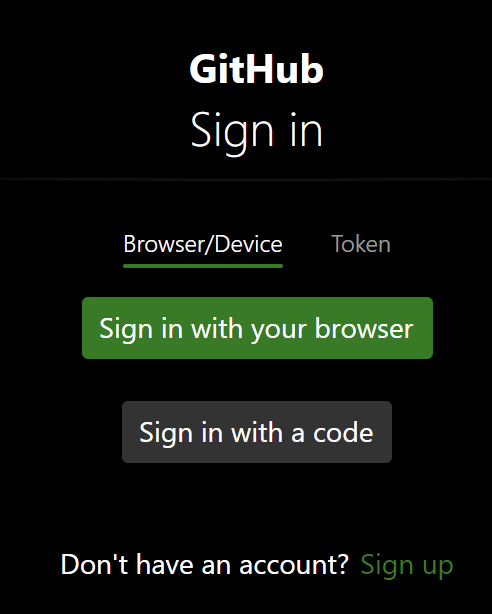
安装完成后运行git-credential-manager configure,然后当你在一个仓库第一次进行push等操作的时候会弹出一个窗口,选择Sign in with your broswer或者没装浏览器(不太可能)就Sign in with a code,然后使用oauth来进行认证就好了。非常优雅,全程oauth + passkey验证,不需要输入任何东西。秘钥保存在macOS的KeyChain钥匙串中,由macOS进行保密。
Linux
Linux会比较复杂一点,尤其是在没有桌面环境的前提下,我这里就默认各位的Linux都没有桌面环境,一下操作在纯终端即可完成。
首先安装gnupg、pass和libicu-dev,最后一个是.NET的多语言包。Debian系用户运行sudo apt install gnupg pass libicu-dev。
然后新建一个gpg-batch-config文件,里面写上如下内容
1 | |
这一步是为了让没有桌面窗口环境的Linux服务器完成GNU秘钥的生成,确保硬盘上没有明文秘钥的出现。然后运行gpg --batch --generate-key gpg-batch-config生成秘钥。
生成完成之后,运行gpg --list-secret-keys --keyid-format=long输出以下类似内容
1 | |
复制sec rsa3072后面的id,然后运行pass init xxxxxxxxxxxxxxxx,生成密码箱。
最后运行git-credential-manager configure与git config --global credential.credentialStore gpg,前者负责唤醒GCM用于oauth验证,后者用于告知git使用gpg来存密码。
之后在一个仓库第一次进行push等操作的时候,会输出以下内容,使用oauth来优雅验证
1 | |
Windows
用winget安装好之后,运行git-credential-manager configure来初始化GCM并设置git凭证保存方式。
如果出现找不到命令,那就是winget没有添加gcm到PATH里面。这时候使用绝对路径就行,可能有两个& "C:\Program Files (x86)\Git Credential Manager\git-credential-manager.exe" configure(winget的安装位置)与& "C:\Program Files\Git\mingw64\bin\git-credential-manager.exe" configure(Git的安装位置)
然后当你进行push或者拉取私有仓库等操作的时候,和macOS一样,会弹出一个窗口,选择Sign in with your broswer或者没装浏览器(不太可能)就Sign in with a code,然后使用oauth来进行认证就好了。
结尾
非常优雅地Git凭证管理方案带给大家😋